

AnyViewer 5.7
Work remotely with different devices and manage them
Program info
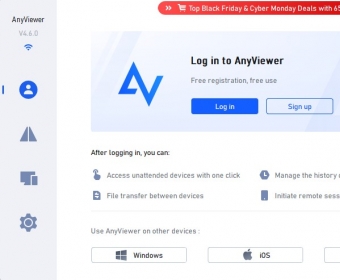
AnyViewer is a program for Windows allowing you to remotely connect with other devices and manage them from a distance. This versatile software offers features such as file transfer, connection history control, unsupervised device management, and the ability to control devices via a mobile phone.
The program allows you to create a free account and set a password to enhance process security and protect your information. It also enables you to connect up to three devices and supervise their screens simultaneously.
The program itself is free, though the Pro version, which includes additional features such as the ability to connect more devices, high-speed file transfer, high-definition images, and access to Private mode, is available for purchase.
The software can be easily downloaded and used; however, it may best suit those already familiar with its purpose and functions. It may initially seem confusing to novices like myself, but the online user's guide is very helpful in this case.
Pros
- Basic version is free to download and use
- Free version allows you to perform basic remote functions
- Easy to use once you're familiarized with it
Cons
- Novices need to do some research to learn about its use
- Advanced functions require purchasing the Pro version
Details
Extensions

No information available
The data will be available later.


Comments